Unlock Your Identity Validation 
Journey as a Candidate

Candidate Help Center 

For questions, please use the Contact Us section

Contact Us

Check the FAQ section first

FAQ

Endorsed for Maximum Security Compliance

Understanding Our Commitment to Your Privacy

Step into the realm of data privacy with KY Orchestra, where transparency and trust form the foundation of our operations. We invite you to explore our Statement of Information (SOI) Data Privacy to gain insight into how we safeguard your personal information. Your privacy is our priority, and we are committed to providing you with the clarity and assurance you deserve.

Know More

Discover the Benefits of KY Orchestra

Effortless Validation Process

Experience a streamlined and user-friendly process for submitting identity documents and undergoing validation, minimizing hassle and saving time.

Confidence in Accuracy

Your identity verification is conducted with precision ensuring that your personal information is accurately validated.

Security and Privacy Assurance

Trust in KY Orchestra's commitment to safeguarding your personal information, with stringent security measures in place to protect your data 

Experience KY Orchestra in Action

Identity Verification : Do's & Don'ts

​Frequently Asked Questions 

1. How does KY Orchestra (KYO) ensure the security of my personal information during verification?

KY Orchestra prioritizes the security and confidentiality of your personal information. Our identity validation services adhere to strict security measures, ensuring your data remains safe throughout the process.


2. What type of personal information does KY Orchestra collect and process?

KY Orchestra collects personal information such as name, contact details, IP address, login information, browser type, time zone setting, and pages visited. Additionally, it may collect information from identification documents, including full name, date of birth, address, document type and number, document issuing and expiry date, photo, and MRZ code.

3. How long does KY Orchestra retain users' personal information?

KY Orchestra retains personal information for as long as necessary to fulfill the purposes for which it was collected, with a maximum retention period of 30 days.

4. Who has access to users' personal data, and under what circumstances?

Access to users' personal data is limited to KY Orchestra's client (the organization ordering the check), law enforcement agencies under certain circumstances, and fraud prevention agencies for the purpose of preventing fraud and money laundering.

5. What rights do users have regarding their personal information?

Users have rights such as access, rectification, erasure, restriction of processing, data portability, objection to processing, withdrawal of consent, and the right to lodge a complaint with the relevant supervisory authority.

6. What ID documents do you currently support?

Passports, driving licenses, national identity cards, and British Residence Permits.

7. What is the format of the supported documents?

PDF, JPEG, and PNG formats are accepted for proof of address.

8. How long does the process take?

The process typically takes only a couple of minutes to complete.

9. Can I use IDs from multiple countries?

We only support capturing one ID document for the country you are applying to; we will need both sides of your document. Multiple document captures will be rejected.

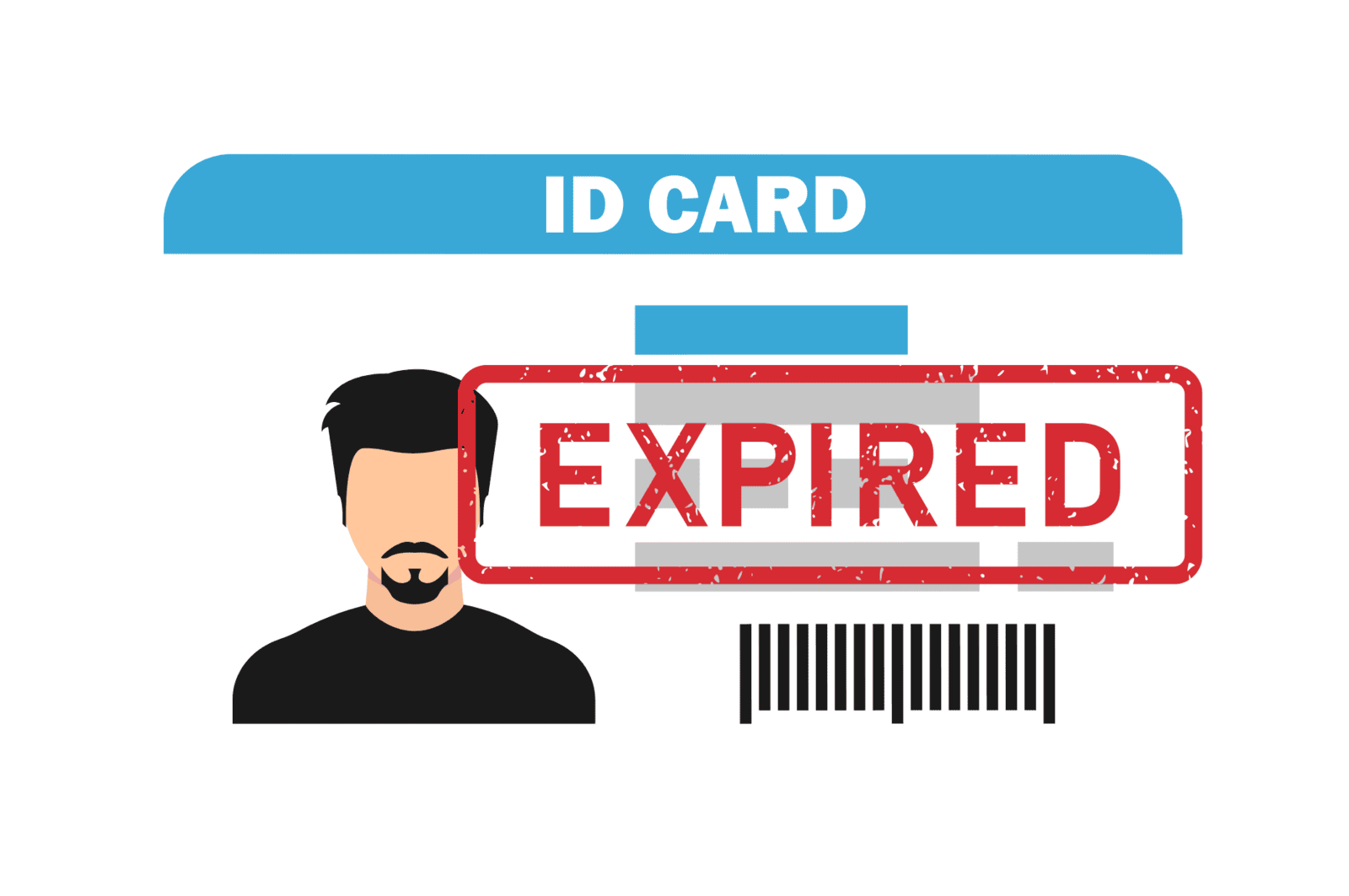
10. My ID document has expired. Can I use it for this verification process?

We require a valid document to comply with legal checks such as KYC (Know Your Customer) and AML (Anti-Money Laundering). Therefore, the provided document must not be expired to be considered as verified.

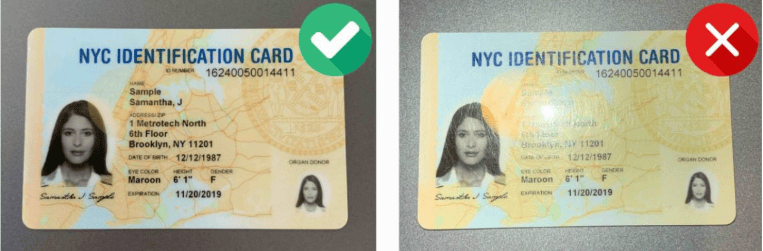
11. How do I take a good photo/capture of my ID?

Please ensure that the photo and personal details on your documents are facing upward. The photo will be taken automatically. 

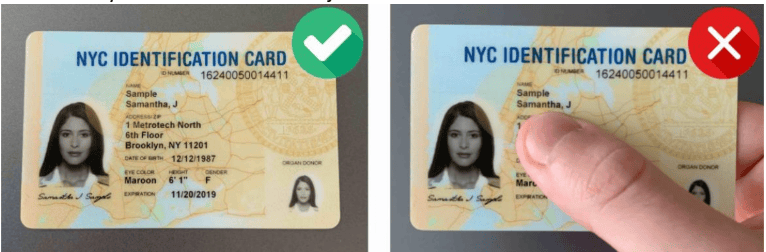
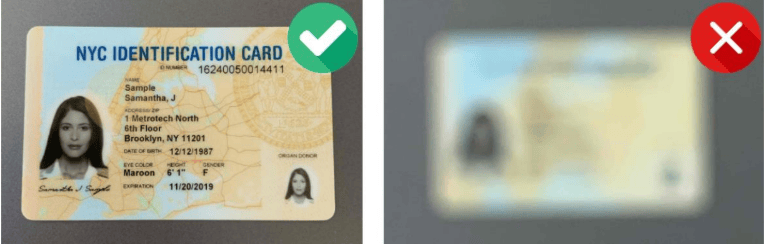
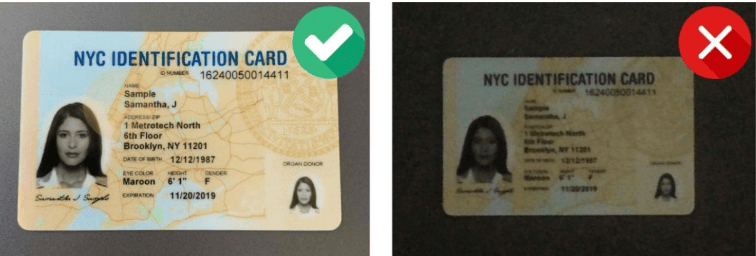
To capture a photo of your ID, ensure that: 

  • All four corners of your ID are visible. 
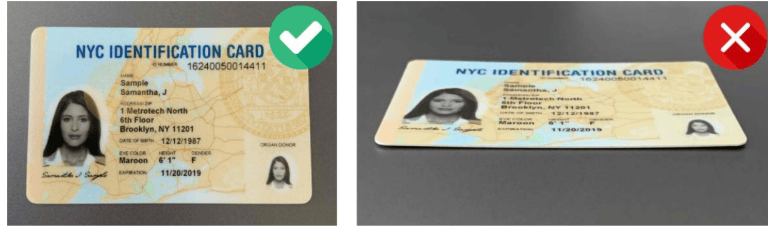
  • Your fingers are not covering any part of your document or the information written on it. 
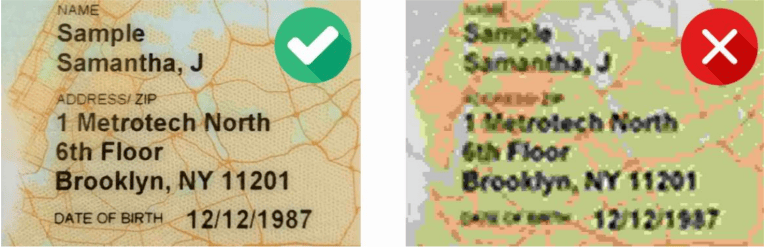
  • The document is clear and in focus. 
  • The lighting is not too dark. 
  • You avoid any glare or reflection, especially if a plastic film is covering your document.
12. What if my video selfie doesn’t resemble the portrait on my ID document?

If the photo on your document was taken a long time ago, we make every effort to match the portrait from your ID document with the video selfie taken, using biometric comparison technology, even if you don’t look the same in your ID document. Ensure that you do not wear glasses or a hat, and your hair is tidy so that your face is fully visible and in front of the camera.

13. What information is taken from my ID documents?

All relevant information including first name, last name, date of birth, issue and expiry date, and document number.

14. What documents can I use to prove my address?

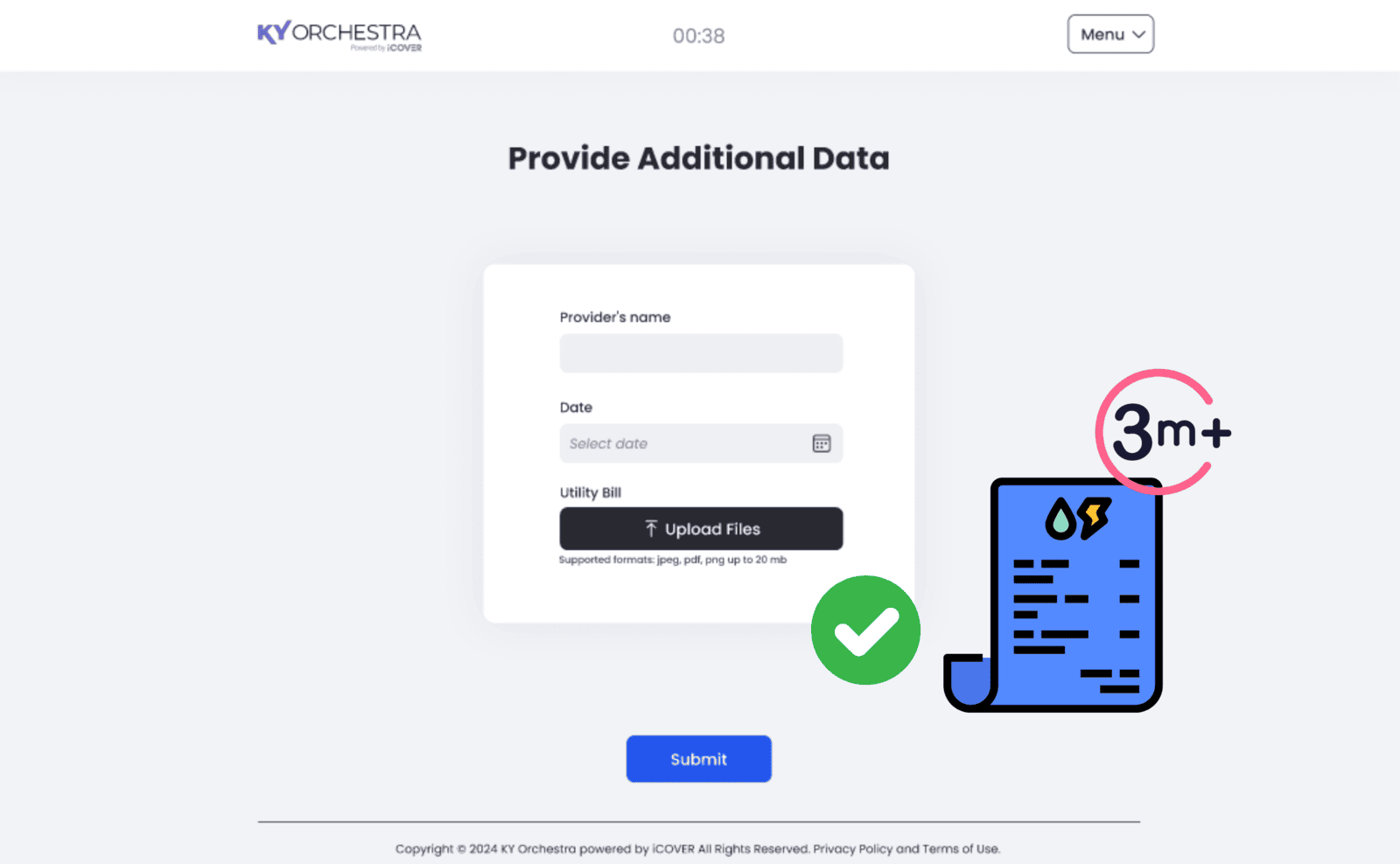
As part of the proofing process, we will only check and consider information from a reliable and independent source. Please provide any of the following invoice documents: electricity, water, or gas bill; a landline telephone bill; credit card transactions; tax or non-tax notices; a property title or rent receipt; employment records; or a home insurance certificate or invoice. Please note that mobile phone invoices will be rejected as they are not considered reliable enough by authorities.

The document provided should be in digital format (PDF) for invoices or original snapshot format (jpg, jpeg, png) for documents. Mobile screenshots from mobile applications will be rejected.

Additionally, please ensure that the proof of address provided was issued within the last three months to be considered valid.

14. The QR code/link is not working: page not found. How can I pursue my onboarding? Please try to switch to another device.

Please attempt to switch to another device.

12. My camera is not working, and I can’t scan my ID or take a selfie or a video, what should be done?

Please allow and authorize the use of your device’s camera during the process. 

13. The active consent tick box is not functioning; I am unable to accept the Terms and Conditions and consequently cannot proceed. What should I do?
  • Check the compatibility of your device (ensure it has the latest version of the software).
  • Request the organization onboarding you to resend the invitation link.
  • Contact us for further assistance.
14. If the address I provided is not up to date, what should I do?
  • We require a current residential address for verification purposes, as we attempt to verify it with an issuing authority or third-party reference agencies. If this verification step fails, your verification process may be rejected.
15. Why is my address failing the verification checks?
We send the address you provided, along with other details from your ID document, to an identity verification provider. They confirm whether your address matches their records. If it does not, the check will fail. This process is to verify your residency. Note that the identity verification provider does not retain the details we send; they simply check for a match and return a yes or no answer. 

The address verification process may fail for various reasons, such as discrepancies in the data provided. In such cases, or if you refuse to provide your residential address, the check will be marked as "unverified." Unverified addresses can still be shared, but some organizations may only accept verified addresses. Ultimately, the organization conducting the verification may contact you for manual verifications.
16. The proof of address I submitted is not accepted, even though it's from a reliable provider. What can I do?
Try submitting another document that is accepted for this process. Please refer to the section 'What documents can I use to prove my address?' for guidance.
17. I began the process without being fully prepared (due to bad conditions or missing documents). Can I restart everything?
You can request to restart or postpone the process by using the 'Process Question Form' or by contacting the organization you are liaising with for this check. As long as you haven't clicked on 'Start the process,' you can still access the link to begin the process once you are ready. However, please note that the link will be deactivated after a couple of days.
18. What type of personal information does KY Orchestra collect and process?
You can request to restart or postpone the process by using the 'Process Question Form' or by contacting the organization you are liaising with for this check. As long as you haven't clicked on 'Start the process,' you can still access the link to begin the process once you are ready. However, please note that the link will be deactivated after a couple of days.
19. What actions can users take if they encounter issues during the verification process, such as a terminated biometric validation?
 Users can seek assistance by contacting the organization conducting the verification process or using the available support channels provided.
20. What happens if a user's identity verification attempt is suspected of being fraudulent?
In case of suspected fraud, the user's personal information may be shared with fraud prevention agencies for further investigation. Users can dispute the results and provide explanations through the available channels.
21. Can I dispute the results if my document is denied?
In case of suspected fraud, the user's personal information may be shared with fraud prevention agencies for further investigation. Users can dispute the results and provide explanations through the available channels.
22. My ID document has been denied, and I want to know why
Your ID document can be rejected for various reasons: it may be expired, or the quality of the capture may be too low for the validation process. To proceed with your onboarding, you'll need to provide a valid ID and ensure you are in a location with good lighting.
23. I completed the entire process, but during the biometric validation, it displayed 'Process terminated.' What should I do?
This message indicates that there was an issue with the facial recognition process. If you require more details, you can inquire by using the 'Contact Us Form' or by contacting the organization you are liaising with for this check.
24. The address I provided was inaccurate and does not correspond to my declared residential address. I would like to provide an updated address. What should I do?
You can provide an updated or more accurate address by contacting the organization you are liaising with for this check.
25. I received notification that my check failed, my identity verification attempt is suspected as fraudulent, and my personal information was shared with fraud prevention agencies. What should I do?
If your verification process has been flagged as fraudulent or if your document was deemed suspicious, the personal information we have collected from you will be shared with fraud prevention agencies. These agencies utilize this information to prevent fraud and money laundering, as well as to verify your identity. If fraud is detected, you may be denied certain services, financial assistance, or employment opportunities. 

Further details on how your information will be utilized by us and these fraud prevention agencies, along with your data protection rights, can be found in the Fair Processing Notices for Cifas (https://www.cifas.org.uk/fpn). If you wish to dispute these results, you can use the 'Dispute Question Form' to explain your situation or contact the organization you are liaising with for this check.

​Get In Touch With Us 

1. Encountered Issues or Concerns?

If you have any concerns regarding the validation process, please fill out the form located on the right.

2. Feedback Response

Our team is committed to promptly addressing your feedback and resolving any issues to ensure your satisfaction.

Terms of use                   Privacy Policy                    Cookie Policy 

@ Copyrights 2024, All rights reserved.